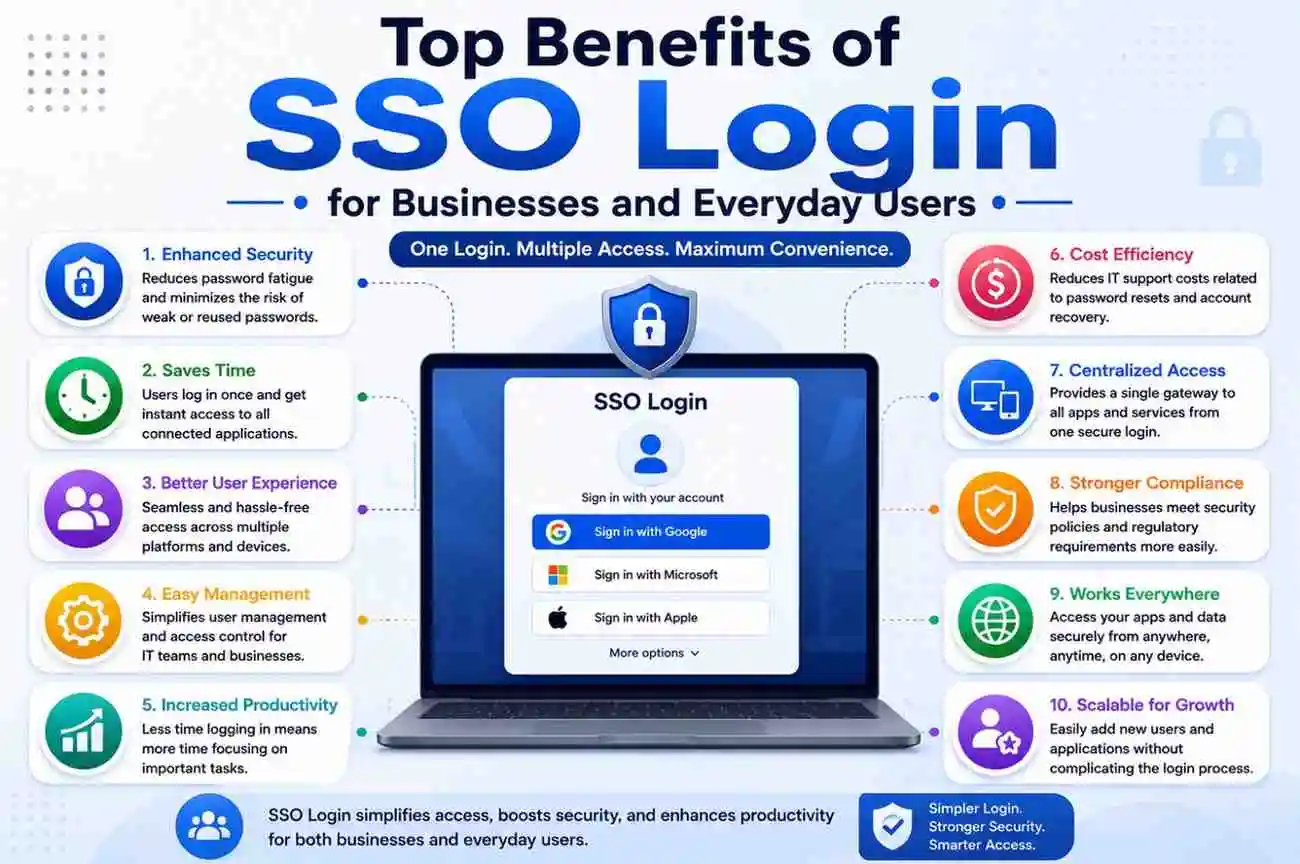
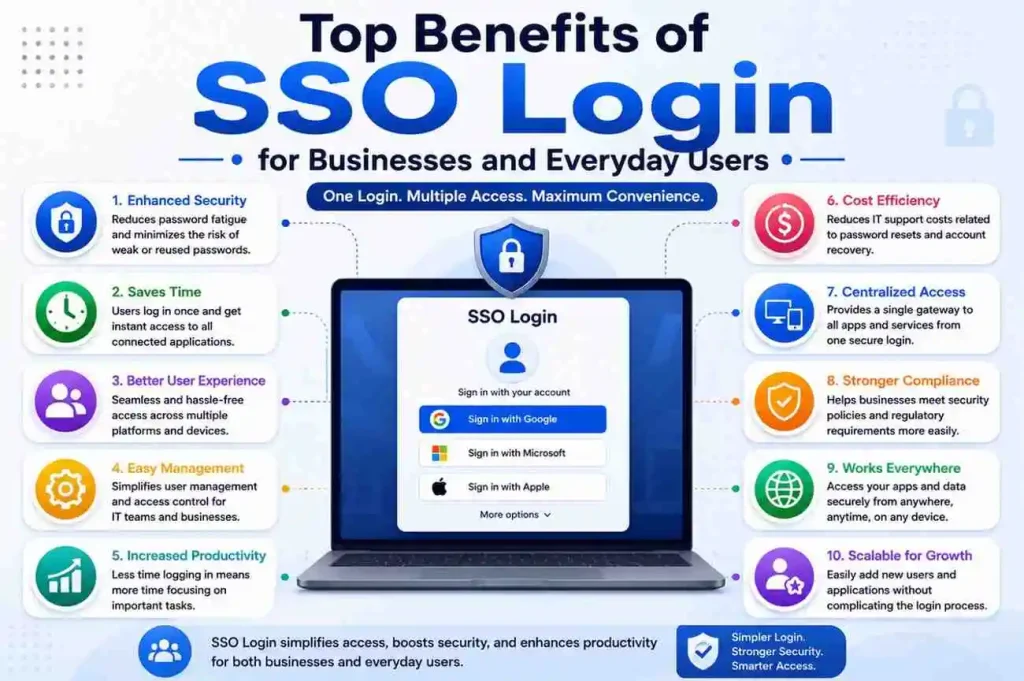
Top Benefits of SSO Login for Businesses and Everyday Users
The number of digital accounts continues to grow every day. Office tools, email platforms, project management software, cloud storage services, shopping websites, banking portals, and social media accounts all require login credentials. For most people, this means remembering a long list of usernames, passwords, security questions, and verification codes. Managing separate credentials for every platform has become increasingly difficult, especially as work and personal life become more connected across multiple devices.
To solve this challenge, many organizations and users are rapidly adopting Single Sign-On (SSO) technology.
SSO login allows users to access multiple applications and services through a single authentication process. Instead of entering credentials repeatedly for every platform, users log in once and gain access to connected systems. This creates a smoother digital experience and reduces the frustration that often comes with repeated sign-ins.
This is not only about convenience—it also plays an important role in security, productivity, and access management.
For businesses, SSO improves operational efficiency and strengthens security. For everyday users, it creates a smoother and more convenient digital experience. In today’s environment, where cloud platforms, remote work, and mobile access have become standard, SSO has emerged as a practical and reliable solution.
This article explores the major benefits of SSO login and explains why it has become an essential part of modern digital ecosystems.
What Is SSO Login?
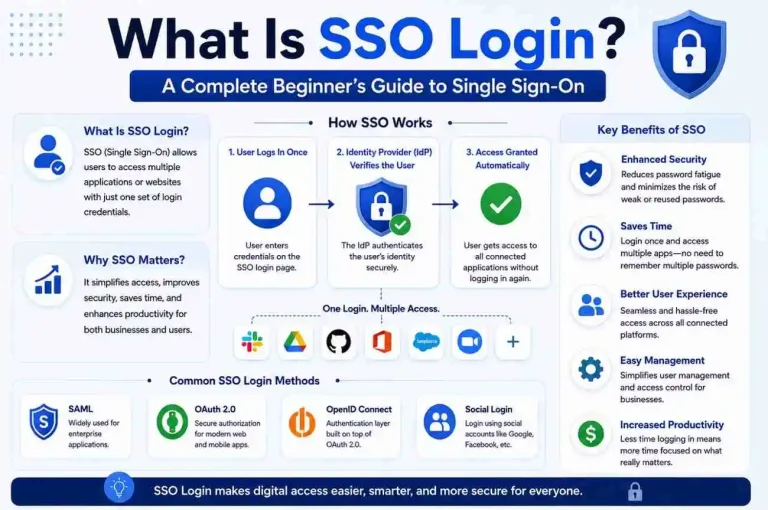
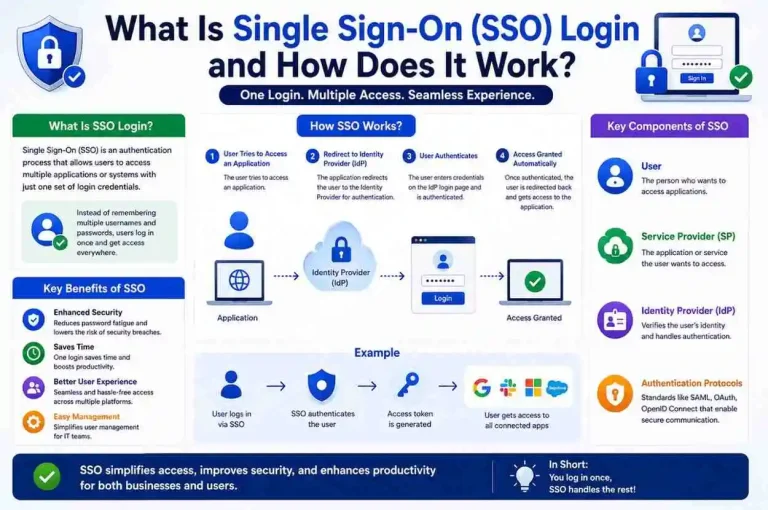
Single Sign-On (SSO) is an authentication method that verifies users through a centralized identity system and then allows access to multiple connected applications.
In simple terms, users do not need to log into every service individually. One trusted login session provides access across different platforms. This means that once a user is authenticated, the system can recognize that identity across approved applications without requiring repeated password entry.
For example, an employee signs into a company portal and automatically gains access to email, CRM software, cloud storage, and communication tools without logging into each application separately. A student may sign into a university dashboard and then access learning platforms, library systems, and email from the same session. A customer may log into a service account and move between billing, support, and account settings without interruption.
SSO relies on technologies such as:
- Identity Provider (IdP)
- Authentication Tokens
- Access Management
- OAuth
- OpenID Connect
- SAML Authentication
- Session Management
- User Identity Verification
Together, these technologies create a secure and efficient access experience. The identity provider verifies the user, issues authentication tokens, and connected applications trust those tokens to grant access. This process reduces the need for multiple logins while still maintaining control over who can access what.
In many modern environments, SSO is also combined with Multi-Factor Authentication (MFA), role-based access control, and device verification to create a stronger security framework. That makes it useful not only for convenience but also for enterprise-grade identity management.
1. Reduces Password Fatigue
One of the biggest advantages of SSO is reducing the burden of remembering multiple passwords.
Today, most users maintain dozens of online accounts. Creating and remembering unique credentials for each one often leads to weak password habits or password reuse across services. When people are forced to manage too many logins, they often choose simple passwords, write them down in unsafe places, or reuse the same password across multiple platforms. These habits increase security risks.
With SSO:
- One login
- One password
- Access to multiple applications
This significantly reduces mental overload and encourages stronger password practices. Instead of juggling many credentials, users only need to remember one secure authentication method for their connected systems.
Benefits:
- Fewer password reset requests
- Faster login experiences
- Higher user satisfaction
- Reduced daily frustration
- Lower chance of password reuse
- Better adoption of strong authentication habits
This advantage applies not only to employees but also to students, freelancers, contractors, and regular internet users. Anyone who works across multiple platforms can benefit from the simplicity of a single login.
Password fatigue is one of the most common causes of poor digital security behavior. By reducing that fatigue, SSO helps users stay more organized and more secure at the same time.
2. Improves Productivity
For businesses, SSO can become a major productivity driver.
Employees often lose valuable time dealing with login-related issues:
- Forgotten passwords
- Credential resets
- Locked accounts
- Repeated sign-ins across systems
- Delays caused by authentication errors
Single Sign-On removes these friction points.
Employees authenticate once and immediately access the tools they need. Workflows become smoother and interruptions decrease. This is especially important in fast-paced environments where teams rely on multiple software platforms throughout the day.
When users spend less time logging in, they spend more time completing meaningful work. Even small time savings can add up significantly across an entire organization. If hundreds of employees save just a few minutes each day, the total productivity gain becomes substantial over time.
Business Outcomes:
- Faster workflows
- Fewer interruptions
- Better operational efficiency
- Improved collaboration
- More focus on core business activities
- Reduced downtime caused by login issues
In larger organizations, this can save hundreds of productive hours over time. It also helps teams move more fluidly between tools, which is especially valuable in departments such as sales, customer support, finance, HR, and IT.
SSO also improves the experience for external partners and contractors who need temporary access to company systems. Instead of managing multiple credentials, they can work more efficiently from the start.
3. Strengthens Cybersecurity
Many people assume one password means weaker security, but properly implemented SSO often improves security.
Centralized authentication allows organizations to manage access more effectively and apply stronger protection policies. Rather than having passwords scattered across many systems, identity is controlled through a central point that can be monitored and secured more carefully.
Centralized Authentication
Authentication happens through a secure, controlled environment.
This makes it easier to:
- Monitor user activity
- Control permissions
- Detect suspicious behavior
- Revoke access quickly
- Apply consistent security policies
Multi-Factor Authentication Support
Many SSO systems integrate Multi-Factor Authentication (MFA):
- Passwords
- One-Time Passcodes (OTP)
- Authenticator Apps
- Biometric Verification
MFA adds additional security layers beyond passwords. Even if a password is compromised, an attacker still needs the second factor to gain access. This makes unauthorized entry much more difficult.
Reduced Credential Exposure
The fewer times users enter passwords, the lower the chance of credential theft or phishing attacks. Repeated logins across multiple sites increase the number of opportunities for attackers to capture credentials. SSO reduces that exposure by limiting authentication events to a trusted environment.
Security advantages include:
- Reduced credential theft
- Improved monitoring
- Better session control
- Stronger compliance
- Lower unauthorized access risk
- Easier enforcement of security policies
When paired with proper configuration, SSO can be a major part of a strong cybersecurity strategy. It is especially effective when combined with device trust, conditional access, and regular identity audits.
4. Lowers IT Support Costs
Password-related issues generate a large portion of IT support requests.
Common issues include:
- Password resets
- Login failures
- Account recovery
- Locked account assistance
- Permission requests
- Access troubleshooting
After implementing SSO, IT teams spend less time handling repetitive support tasks. This frees technical staff to focus on more strategic work such as system improvements, security monitoring, and infrastructure management.
Benefits include:
- Lower administrative workload
- Faster employee onboarding
- Reduced maintenance costs
- Better use of technical resources
- Fewer help desk tickets
- Improved support efficiency
This becomes especially valuable for medium and large organizations. In companies with hundreds or thousands of users, password reset requests alone can consume a significant amount of IT time and budget.
SSO also reduces the need for users to contact support every time they forget a password for a different application. Since access is centralized, account management becomes simpler and more predictable.
5. Creates a Better User Experience
Users expect simplicity.
Complicated login experiences can frustrate users and increase abandonment rates. If a platform requires too many steps before access is granted, users may become discouraged or stop using the service altogether.
SSO streamlines the process.
Typical user journey:
Login → Authentication → Continuous Access
Results include:
- Improved session continuity
- Lower bounce rates
- Higher engagement
- Better user satisfaction
- Less friction during navigation
- More consistent access across devices
In competitive digital environments, reducing login friction directly improves retention. Whether the user is an employee, student, customer, or partner, a smooth login experience creates a positive first impression and supports long-term engagement.
A better user experience also reduces confusion. Users do not need to remember which password belongs to which platform, and they do not need to repeat the same login process every time they switch applications.
6. Simplifies Employee Onboarding and Offboarding
Managing user accounts across multiple systems can become complex.
New employees typically require access to:
- Collaboration tools
- Internal applications
- Cloud platforms
- HR portals
- Project software
- File-sharing systems
SSO centralizes access assignment. Instead of creating separate accounts manually for every application, administrators can provision access through a single identity system. This makes onboarding faster and more organized.
When employees leave, access can be revoked instantly from a single control point. This is one of the most important security benefits of SSO because it reduces the risk of former employees retaining access to company systems.
Advantages include:
- Faster account setup
- Improved compliance
- Reduced security risks
- Easier access revocation
- Better lifecycle management
- More consistent user provisioning
This is especially useful in organizations with frequent hiring, role changes, or contractor-based work. It helps HR and IT teams work together more efficiently while maintaining tighter control over access.
7. Enhances Mobile Device Experience
Mobile users dislike repeatedly entering credentials.
Typing on smaller screens slows workflows and creates friction. It can also increase the chance of typing errors, forgotten passwords, and failed login attempts.
SSO improves mobile access through:
- Persistent sessions
- Secure authentication
- Fewer login attempts
- Better app switching
- Smoother mobile workflows
- Easier access across smartphones and tablets
This is especially valuable for remote employees and users working on the go. Sales teams, field workers, managers, and support staff often rely on mobile devices to stay connected throughout the day.
With SSO, mobile users can move between apps more easily without constantly re-entering credentials. This creates a more practical and efficient experience for modern work styles.
8. Makes Cloud Application Management Easier
Modern organizations rely heavily on cloud-based software.
Examples include:
- Communication platforms
- Document management systems
- CRM software
- Analytics tools
- HR systems
- Project tracking platforms
- Customer support tools
- Finance and billing applications
SSO organizes cloud environments by centralizing authentication.
Benefits:
- Unified access
- Centralized control
- Simplified permissions
- Easier software adoption
- Better visibility
- More consistent user management
As businesses adopt more cloud services, managing separate logins for each one becomes increasingly difficult. SSO reduces that complexity and helps organizations maintain a cleaner digital environment.
It also supports smoother integration between tools. When applications are connected through a shared identity system, users can move between them more naturally and administrators can manage access more effectively.
9. Supports Compliance and Governance
Industries with strict regulations require strong access controls.
SSO improves audit readiness and user monitoring. Since authentication is centralized, organizations can maintain clearer records of who accessed what and when.
Organizations can track:
- Login history
- Application access
- Device usage
- Authentication events
- Permission changes
- Suspicious access attempts
This supports:
- Data governance
- Access control
- Security policies
- Risk management
- Audit preparation
- Regulatory compliance
For industries such as healthcare, finance, education, and government, this level of visibility is especially important. Compliance teams need reliable records to demonstrate that access is being managed properly.
SSO also helps enforce consistent policies across all connected applications. Instead of relying on different login rules for different systems, organizations can apply a unified identity framework.
10. Supports Remote Work Environments
Remote and hybrid work models have increased the importance of secure authentication.
Employees need consistent access from different locations. They may work from home, coworking spaces, client sites, airports, or while traveling. In each case, they need a secure and reliable way to access company resources.
SSO provides:
- Secure authentication
- Device flexibility
- Reliable access
- Better collaboration
- Smooth cloud connectivity
- Easier remote productivity
This supports productivity regardless of location. Employees can sign in once and continue working across approved tools without repeated interruptions.
Remote work also increases the need for centralized identity management because users are no longer accessing systems only from a single office network. SSO helps organizations maintain control while still giving employees the flexibility they need.
11. Provides Better Access Control
Businesses gain visibility into:
- Who logged in
- Which application was accessed
- When access occurred
- Which device was used
- Permission levels
- Session duration
Centralized access management supports:
- Least privilege principles
- Reduced internal risk
- Stronger governance
- Better permission reviews
- Easier policy enforcement
This is important because not every user should have access to every system. SSO makes it easier to assign access based on role, department, or project needs. If a user changes roles, permissions can be updated centrally instead of manually across many platforms.
Better access control also helps reduce insider threats and accidental misuse. When administrators have a clear view of identity and permissions, they can respond more quickly to unusual activity.
12. Accelerates Digital Transformation
Organizations continue adopting new digital tools.
Without SSO, every new platform introduces another login layer. This can slow adoption and create resistance among users who already struggle with too many credentials.
SSO simplifies adoption.
Results:
- Faster deployment
- Reduced training complexity
- Better user adoption
- Easier integration
- Smoother transitions
- Less resistance to new tools
Simple access encourages employees to embrace new technologies more quickly. When users know they can access a new platform through the same identity system they already use, they are more likely to adopt it confidently.
This makes SSO an important part of digital transformation strategies. It supports growth without adding unnecessary complexity.
Common Industries Using SSO
Healthcare
Protecting patient records and enabling secure staff access. Hospitals, clinics, and healthcare networks often use SSO to help doctors, nurses, and administrators access multiple systems while maintaining strict privacy standards.
Education
Providing students and faculty with centralized access. Schools and universities use SSO to simplify access to learning platforms, email, library systems, and administrative tools.
Enterprise Organizations
Managing internal systems efficiently. Large companies benefit from centralized identity management across departments, branches, and global teams.
E-commerce
Improving customer login and checkout experiences. SSO can reduce friction during account access and make shopping faster and easier.
Financial Services
Supporting secure identity verification and compliance. Banks, insurance companies, and fintech platforms rely on strong authentication and access control.
Potential Limitations of SSO
Every technology has considerations.
Single Access Dependency
If the central authentication system becomes unavailable, connected access may be affected. This means organizations must ensure high availability and backup planning for their identity infrastructure.
Proper Configuration Required
Poor implementation can create security gaps. If permissions are not configured correctly, users may gain access they should not have or lose access they need.
Strong Authentication Recommended
Using MFA alongside SSO provides stronger protection. SSO should not be treated as a standalone security solution. It works best as part of a broader identity and access management strategy.
Organizations should also monitor sessions, review permissions regularly, and keep identity systems updated to reduce risk.
Best Practices for Secure SSO Usage
To maximize results:
- Use strong passwords
- Enable Multi-Factor Authentication
- Configure session timeouts
- Review user permissions regularly
- Monitor devices
- Keep identity systems updated
- Enable suspicious login alerts
- Apply role-based access control
- Use secure identity providers
- Train users on phishing awareness
Following these practices helps organizations get the full benefit of SSO while minimizing security risks. A well-managed SSO environment can be both convenient and highly secure.
The Future of Single Sign-On
Authentication continues to evolve.
Emerging trends include:
- Passwordless authentication
- Biometrics
- Adaptive security
- Zero Trust architecture
- AI-powered identity protection
- Context-aware access decisions
- Device-based trust models
SSO is becoming a core component of modern identity management. As organizations move toward more connected systems, the need for centralized, secure, and user-friendly authentication will continue to grow.
In the future, SSO may become even more seamless, with users authenticating through biometrics, trusted devices, or passwordless methods instead of traditional passwords. This will likely improve both convenience and security.
Final Thoughts
Single Sign-On is more than a convenience feature—it is a practical solution for improving productivity, security, and user experience.
Businesses benefit from stronger access control, lower IT workloads, and improved efficiency. Everyday users benefit from simpler account management and smoother digital experiences. In both cases, SSO reduces friction and helps people interact with technology more effectively.
As cloud services and connected platforms continue to expand, SSO adoption is expected to grow and become an increasingly important part of digital access management. Organizations that invest in secure identity systems today will be better prepared for the demands of tomorrow’s digital workplace.
If implemented correctly, SSO can save time, reduce costs, strengthen security, and create a better experience for everyone involved.